edison-wiki
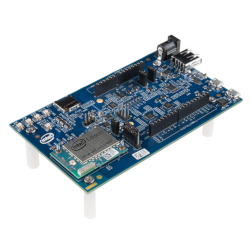
Any information related to investigating the Intel Edison kernel, U-Boot, SoC hardware, ACPI, tools to build the image etc.
Intel Edison MCU Quick Start
Documentation
You can read up on the Intel Edison MCU in this salvaged documentation:
MCU API documentation
Creating applications with the MCU SDK for the Intel® Edison board
Keep in mind that the MCU SDK is based on Eclipse using a Java version that is no longer supported. In this quick start guide we will show how to build an MCU app without the Eclipse SDK. But if you really think you can and want to fix the Eclipse SDK we did salvage that too, so send me a message in our Telegram group https://t.me/IntelEdison Web if you need it.
Host side interfaces
In addition to the documentation above, consider that some host side sysfs interface names changed.
TTY interfaces
The MCU communicates with the CPU through 2 serial interfaces:
- /dev/ttymcu0: A message/data transmission channel between the host and the MCU. The
host application can send and receive data to/from the MCU via this interface and an MCU
application can communicate with host via the host_send and host_receive APIs. Run
echo "some text" > /dev/ttymcu0to send data to the MCU. Runcat /dev/ttymcu0to retrieve the response from the MCU. - /dev/ttymcu1: This channel is defined as an interface to get MCU log messages. Run cat /dev/ttymcu1 to fetch the debug message from the MCU.
If you want the output of this channel to go to your terminal, you have to stop the linux console from writing there:
systemctl stop serial-getty@ttyS2.serviceOf course you will loose access to linux through the console this way, so make sure you have access through
sshor the USB serial gadget first.
Sysfs interfaces
- /sys/devices/pci0000:00/0000:00:17.0/power/control: Turn on the power to the MCU.
echo "on" > "/sys/devices/pci0000:00/0000:00:17.0/power/control" - /sys/devices/platform/intel_mcu/control: A write-only control node to load the MCU
application. This
platform/intel_mcuis now accessed usingpci0000:00/0000:00:17.0:echo "load mcu app" > "/sys/devices/pci0000:00/0000:00:16.1/control" - /sys/devices/platform/intel_mcu/fw_version: The version of the MCU SDK that is used to build MCU applications.
- /sys/devices/platform/intel_mcu/log_level: A read/write node to set and get the current MCU application log level. Supported input strings include fatal, error, warning, info, and debug.
Quick Start
Minimally, there are some headers files, a library file and a script to build an MCU application.
Easiest is to clone from github https://github.com/edison-fw/edison_mcu.
I stole this from https://github.com/tardyp/edison_ir.git, cleaned it up, added the SDK to the release Tag https://github.com/edison-fw/edison_mcu/tree/v1.0 and a sample source file from the SDK.
MCUSDK_PATH=../edison-mcusdk-linux64-1.0.10 MCUSDK_OS=linux-x86_64 make intel_mcu.bin
Copy the binary file to `“/lib/firmware/intel_mcu.bin” on Edison.
echo "on" > "/sys/devices/pci0000:00/0000:00:17.0/power/control"
echo "load mcu app" > "/sys/devices/pci0000:00/0000:00:16.1/control"
root@edison:~# cat /dev/ttymcu0
^C
root@edison:~# echo "go" > /dev/ttymcu0
root@edison:~# cat /dev/ttymcu0
hello mcu
^C